If you’ve already read Azure Copilot’s New Agent Lineup: What Changes Today, and What Platform Teams Should Do About It, you know the governance story: six named agents replacing the old combined “Agent mode,” default-on for any tenant with Copilot enabled, and one agent already GA and billed. This post picks up where that leaves off — zooming out to ask how that whole lineup stacks up against Azure’s other major reliability play, Azure SRE Agent, and where the two actually belong in your stack.
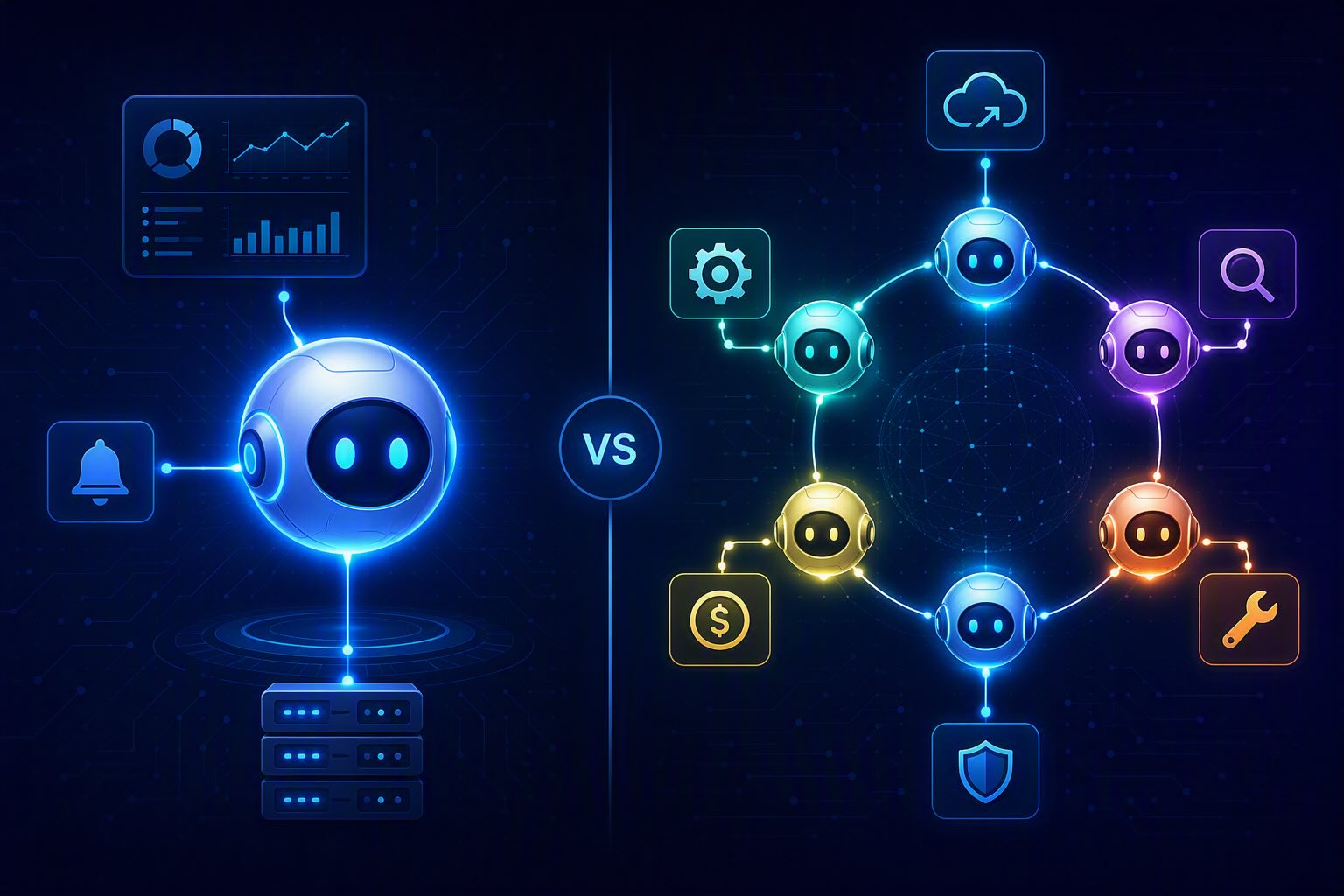
Microsoft now ships two overlapping-but-different answers to “let AI run my cloud ops.” One is Azure SRE Agent, a standalone, always-on reliability engineer. The other is a family of six specialized agents living inside Azure Copilot: Migration, Deployment, Observability, Optimization, Resiliency, and Troubleshooting.
If you’ve looked at both and wondered whether you need one, the other, or some combination of the two, this is for you.
Two Different Products, Not Two Versions of the Same Thing
Azure SRE Agent is a single, persistent agent. It connects your observability tools, incident platforms, and source code repos into one workflow, so instead of jumping between Grafana, PagerDuty, and Slack at 3 AM, you get one investigation thread with answers already in it — what changed, what’s affected, what to do next. It reached general availability in March 2026, and by Build 2026 it had picked up enterprise features like VNet integration, native GitHub Enterprise support, a formal permissions model, and a private plugins marketplace — all clearly aimed at getting it running inside locked-down, regulated production environments.
The Azure Copilot agent lineup is a different animal: six specialized agents sitting inside Azure Copilot’s broader chat/portal/CLI experience, each covering a different slice of the cloud operations lifecycle. They lean on Azure Resource Manager, Azure Resource Graph, and Microsoft Learn knowledge to do their work. Maturity varies across the six — the Observability Agent has reached General Availability, while Deployment, Troubleshooting, Optimization, and Resiliency remain in Public Preview, alongside the Migration Agent.
In short: SRE Agent is one deep, focused tool. The Copilot lineup is a broader toolbox spanning the whole app lifecycle, not just the “it’s on fire” part.
What Each Agent Actually Does
| Agent | What it does | Lifecycle stage |
|---|---|---|
| SRE Agent | Diagnoses and resolves production issues, reduces operational toil, lowers MTTR. Persistent, always-on, correlates telemetry with code changes, proposes fixes for human approval. | Run/operate (continuous) |
| Migration Agent | Agentless discovery of on-prem infrastructure, application-aware modernization, generates Bicep/Terraform, produces security/risk reports, hands .NET/Java modernization to GitHub Copilot. Can’t yet execute the actual cutover — that stays manual in Azure Migrate. | Plan/migrate (one-time per workload) |
| Deployment Agent | Builds deployment plans from the Azure Well-Architected Framework, turns goals into Terraform via an interactive, spec-driven prompt flow, links to the pricing calculator before you commit to anything. | Build/deploy |
| Observability Agent | Adds an “Investigate” button to Azure Monitor alerts, combining anomaly-detection ML with generative AI to surface probable root causes and next steps across services like AKS. | Run/monitor |
| Optimization Agent | Built for FinOps teams — ranks cost-saving moves by cost, carbon impact, and effort, and generates scripts to shift workloads to cheaper SKUs. | Run/optimize (continuous) |
| Resiliency Agent | Checks whether resources span multiple availability zones, helps build failover/DR plans, and can simulate failures to test recovery. | Run/harden (proactive) |
| Troubleshooting Agent | Runs diagnostics and returns a fix — guided steps or one-click automation — strongest on AKS, Cosmos DB, and VMs; escalates to a support ticket when it can’t resolve something. | Run/fix (on-demand) |
Where They Actually Overlap
The overlap is narrower than the naming suggests.
SRE Agent and the Observability Agent both do GenAI-powered root-cause analysis over telemetry. The real difference is persistence: SRE Agent is a standing process that watches a scoped set of resources continuously and accumulates institutional memory across incidents. The Observability Agent is invoked on-demand from an Azure Monitor alert — useful, but not something living with your service around the clock.
SRE Agent and the Troubleshooting Agent both diagnose and fix things. SRE Agent handles the full incident lifecycle — detect, investigate, mitigate, ticket, learn — across whatever tools you’ve connected. The Troubleshooting Agent is more of a single transactional action, and it’s strongest on a narrower set of services.
SRE Agent and the Resiliency Agent both touch “reliability,” but from opposite directions. SRE Agent reacts to live incidents. The Resiliency Agent proactively audits your architecture and stress-tests it before anything breaks.
Everything else — Migration, Deployment, Optimization — doesn’t overlap with SRE Agent at all. Those live in build-time and cost-governance territory that SRE Agent simply doesn’t touch.
Where Each One Actually Earns Its Keep
SRE Agent’s edge is enterprise-grade governance and depth: VNet integration, GitHub Enterprise-native auth, a granular permissions model, and the ability to actually execute approved mitigations — restarting pods, adjusting autoscaling thresholds — not just suggest them. It also remembers. Every investigation adds to a growing body of institutional knowledge instead of starting from zero each time.
The Observability Agent’s edge is zero setup. No standing infrastructure, no incremental cost right now, invoked right where an alert already lives. Great for occasional triage, not built for 24/7 coverage.
The Troubleshooting Agent’s edge is speed and self-service — one-click fixes for well-understood failure patterns, with no agent to provision or maintain.
Deployment, Migration, Optimization, and Resiliency Agents aren’t really competing with SRE Agent at all — they cover build, migrate, cost, and architecture-hardening work that has no equivalent anywhere in the SRE Agent’s job description.
The Billing Picture
This is where the two products currently look very different — and where that difference is likely temporary.
SRE Agent has real, metered production billing today, using Azure Agent Units (AAU):
- A fixed always-on cost of 4 AAUs per agent-hour, regardless of whether the agent is doing anything
- A variable active-flow cost based on tokens consumed while the agent is actually working, with rates depending on which model you’ve selected
- No free, trial, or dev/test tier — it’s pay-as-you-go from the moment you create an agent
- Field-reported numbers put the always-on baseline around $0.40/hour (roughly $292/month) per agent before any work happens, with active-flow token costs running $3–$15 per million tokens — a typical multi-step investigation adding another $10–60 on top
The Copilot agent lineup is, for now, free. Azure Copilot’s chat and agentic capabilities — including the Migration Agent specifically — are available at no additional cost during preview, with agent-specific pricing “to be announced at a future date.”
Don’t read too much into that “free,” though. Microsoft’s own documentation describes AAUs as a standardized measure of agentic processing used across all prebuilt Azure agents — which is a fairly strong hint that the Copilot agents will land on the same AAU billing framework once they exit preview. The Observability Agent, having just reached GA, is the most likely candidate to see metered pricing show up first. Treat “free” as a preview-era condition, not a permanent one.
What to Choose, and When
Reach for SRE Agent when:
- You need continuous, unattended monitoring and incident response for critical, customer-facing services
- You’re operating inside a locked-down, regulated environment — private VNets, GitHub Enterprise, strict egress rules
- You want one agent tying together tools you already rely on (PagerDuty, ServiceNow, Grafana) rather than staying purely Azure-native
- You’re fine budgeting for an always-on operating cost in exchange for depth and memory
Reach for the Observability or Troubleshooting Agent when:
- You want ad-hoc help triggered from an alert you’re already looking at, with nothing to provision or maintain
- Your incident volume doesn’t yet justify an always-on cost
- You’re already living in the Azure portal or CLI and don’t need cross-tool orchestration outside Azure
Reach for Deployment, Migration, Optimization, or Resiliency Agents when:
- You’re at a completely different point in the lifecycle — planning a migration, standing up new infrastructure, chasing FinOps savings, or auditing your disaster-recovery posture. There’s no real “choice” here since SRE Agent doesn’t cover any of this ground.
A sensible sequence for most organizations: Deployment and Migration Agents at build time → Resiliency Agent to harden before go-live → Observability and Troubleshooting Agents for everyday self-service issues → SRE Agent layered on top for the handful of workloads where cross-tool incident orchestration and institutional memory genuinely pay for themselves → Optimization Agent running continuously in the background regardless of what else you’re using.
One Governance Note Before You Move On
If your tenant already has Azure Copilot enabled, all six agents — including the four still in preview — get turned on automatically with no review step required on your part. If you haven’t consciously opted into this yet, it’s worth a quick access check rather than assuming you’re still on the sidelines.
Discover more from ksharp
Subscribe to get the latest posts sent to your email.