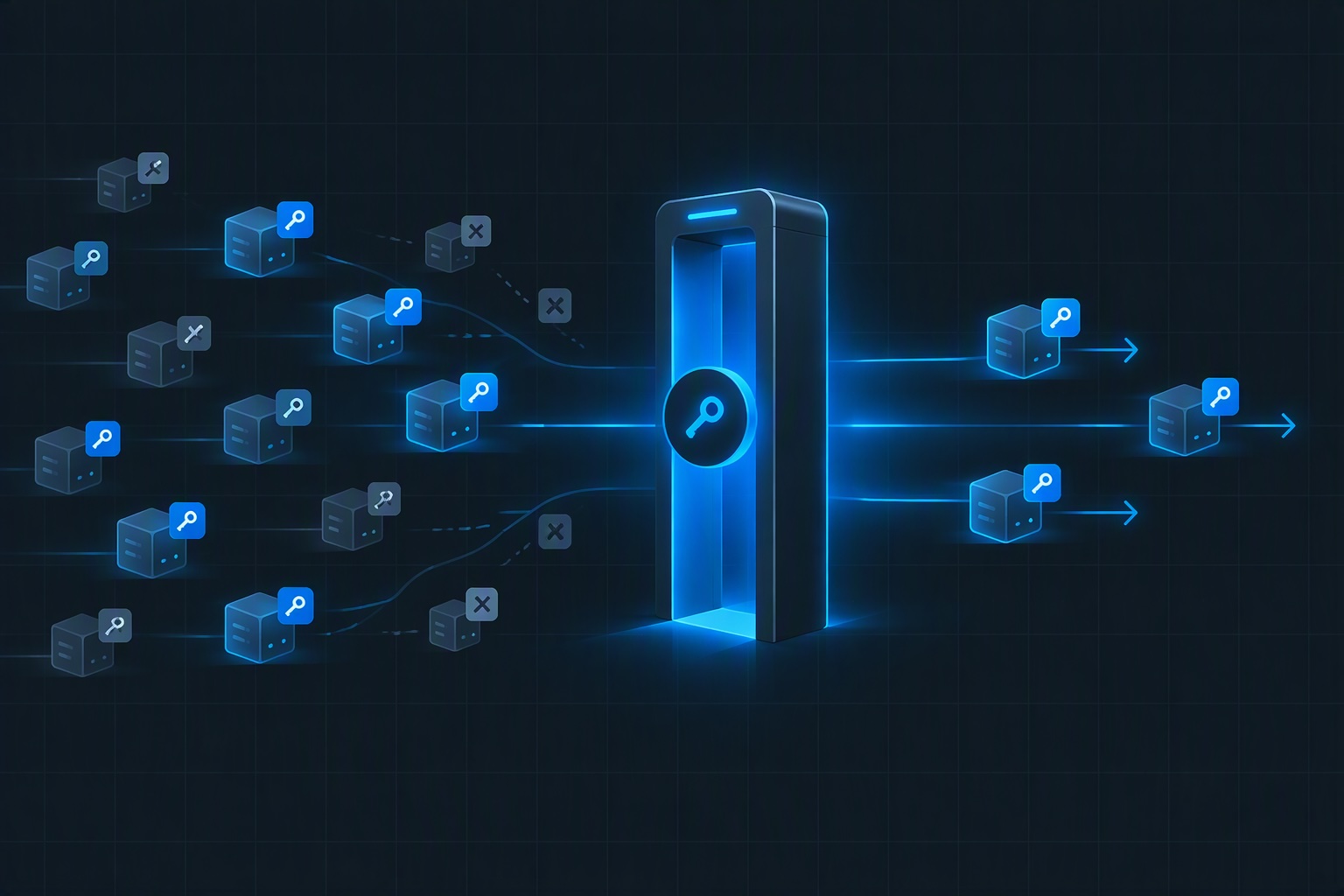
For years, ingress-nginx was the answer to “how do I get HTTP traffic into my cluster.” It’s what the tutorials used, what the Helm charts defaulted to, and what AKS itself shipped in the application routing add-on. That default is now expiring, and the date is close enough that this is no longer a planning exercise.
This post covers three things: why the clock is running, how to assess whether a specific AKS cluster is ready to move to Application Gateway for Containers (AGC), and a runbook for doing the migration with a rollback path at every stage.
Why this is happening now
Ingress-NGINX upstream is retired. In November 2025 the Kubernetes SIG Network and Security Response Committee announced the retirement of the community ingress-nginx project. Maintenance ran best-effort until March 2026. Since then there are no releases, no bug fixes and no security patches. If you run the community controller yourself (a Helm release you own), you are running unmaintained software on your cluster’s front door.
The AKS application routing add-on’s NGINX is on borrowed time. Microsoft committed to critical security patches for the add-on’s managed NGINX through November 2026, and nothing after. That window closes this month. The add-on keeps working afterwards, but nothing tells you it’s time to act, which is exactly what makes it dangerous: an unpatched internet-facing proxy doesn’t announce itself.
AGIC is being superseded as well. Application Gateway Ingress Controller is built on the Kubernetes Ingress API, which is feature-frozen: it isn’t being removed, but all new capability is going into Gateway API. Microsoft’s own documentation now describes AGC as the evolution of AGIC and recommends AGC for new installations, and the Application Gateway V1 SKUs that some AGIC deployments sat in front of retired on April 28, 2026. I couldn’t find a published AGIC end-of-support date, so I’m not going to invent one. But the direction is unambiguous, and the migration utility Microsoft released in January 2026 treats AGIC and NGINX as equal starting points for the same destination.
AGC is the Azure-native landing place. AGC is a managed layer 7 load balancer for AKS. It went GA in late 2024, gained WAF support in November 2025, and supports both the Ingress API and the Gateway API. Microsoft’s guidance lists other destinations too, including the application routing Gateway API implementation (Istio-based) and the Istio add-on, and AGC is the one that’s an Azure-hosted data plane outside your cluster. It isn’t the right answer for every cluster, and the assessment below is designed to tell you whether it’s right for yours.
What actually changes
The migration isn’t a controller swap, it’s a change of model, and the assessment makes more sense once you’ve seen it.
| ingress-nginx | Application Gateway for Containers | |
|---|---|---|
| Data plane | NGINX pods in your cluster, on your nodes | Azure-hosted, outside the cluster, in a delegated subnet |
| Primary API | Ingress + annotations | Gateway + HTTPRoute (Ingress API also supported, with fewer features) |
| Per-route tuning | Annotations on the Ingress | Policy resources: route, health check, frontend/backend TLS, WAF |
| Controller | The NGINX controller itself | ALB Controller (control plane only), via workload identity |
| TLS certificates | Kubernetes secrets, often fed by cert-manager or Key Vault CSI | Kubernetes secrets; Key Vault CSI integration isn’t supported |
| Reaching pods | Through the controller pods | Directly, from the delegated subnet |
| Frontend address | A load balancer IP you control | An Azure-generated FQDN |
Three consequences fall out of that table, and they drive most of the risk: your annotations need translating, anything that assumed traffic originates from an in-cluster controller needs revisiting, and anything that assumed a fixed ingress IP needs a conversation.
Part 1: Readiness assessment
Run this per cluster. Every check ends in one of three outcomes: go (nothing to do), go with work (a known, bounded task), or blocked (don’t start until resolved). The goal is to find the blockers in an afternoon instead of in week three of the migration.
A. Cluster and Azure prerequisites
First, how nginx is deployed, because the decommissioning path differs between the add-on and a Helm release you own:
# Add-on or your own release?
az aks show -g $RG -n $AKS --query "ingressProfile.webAppRouting" -o json
kubectl get ingressclass

# Where is the controller actually running?
kubectl get deploy -A -o json | jq -r '
  .items[]
  | select(.spec.template.spec.containers[].image | test("ingress-nginx|nginx-ingress"))
| "\(.metadata.namespace)/\(.metadata.name) \(.spec.template.spec.containers[0].image)"'Then the hard prerequisites:
az aks show -g $RG -n $AKS --query "{
  region: location,
  k8s: kubernetesVersion,
  plugin: networkProfile.networkPlugin,
  mode: networkProfile.networkPluginMode,
  oidc: oidcIssuerProfile.enabled,
  workloadIdentity: securityProfile.workloadIdentity.enabled
}" -o json

for p in Microsoft.ContainerService Microsoft.Network Microsoft.NetworkFunction Microsoft.ServiceNetworking; do
  az provider show -n $p --query "{ns:namespace, state:registrationState}" -o tsv
done| Check | Go | Go with work | Blocked |
|---|---|---|---|
| Network plugin | Azure CNI or CNI Overlay | Anything else (kubenet) | |
| Workload identity + OIDC issuer | Enabled | Not enabled; enabling is an AKS update | Policy forbids it |
| Region | AGC available in the cluster’s region | Not available | |
| Resource providers | All four registered | Registration needed | Subscription policy blocks registration |
| Delegated subnet | A subnet with at least 250 free addresses can be delegated | Needs a new subnet | No address space in the VNet |
| Subnet governance | NSG/UDR/policy allow delegation | Policy exemption needed | Platform rules forbid delegated subnets |
AGC needs a subnet delegated to Microsoft.ServiceNetworking/trafficControllers. In a landing zone this usually means a request to whoever owns the spoke VNet, so start that conversation early.
B. What your routing config actually uses
This is the check that decides the effort. Start with the inventory:
# Every Ingress: namespace, name, class, hosts
kubectl get ingress -A -o json | jq -r '
  .items[]
  | [.metadata.namespace, .metadata.name,
     (.spec.ingressClassName // .metadata.annotations["kubernetes.io/ingress.class"] // "none"),
     ([.spec.rules[]?.host] | join(","))] | @tsv'

# Which nginx annotations are in use, and how often
kubectl get ingress -A -o json | jq -r '
  .items[].metadata.annotations // {} | keys[]
| select(startswith("nginx.ingress.kubernetes.io/"))' | sort | uniq -c | sort -rnThen let Microsoft’s migration utility do the real assessment. It reads your Ingresses, translates what it can, and reports on what it can’t, without modifying anything on the cluster. A dry run produces the report and no output files:
./agc-migration cluster \
  --provider nginx \
  --ingress-class nginx \
  --managed-subnet-id "$ALB_SUBNET_ID" \
--dry-runFor the application routing add-on, pass its class (webapprouting.kubernetes.azure.com by default) instead of nginx, because tools filtering on class nginx will skip add-on Ingresses.
Each annotation in the report lands in one of four buckets: completed, warning (migrated with notes), not-supported (no AGC equivalent), or error. The utility handles a substantial set: rewrites, redirects, TLS redirects, session affinity, backend protocol, timeouts, canary weights and header matching, ModSecurity and OWASP toggles (mapped to a WAF policy), and mTLS client verification. What it doesn’t map is the work you should size by hand. Look specifically for:
- Snippets.
configuration-snippetandserver-snippetinject raw NGINX config. There’s no automatic translation, and each one needs a human to work out what it was for. - Rate limiting, source-IP allow lists, external auth and CORS annotations. These aren’t in the supported list, so each needs a design decision: a WAF rule, an application-level control, or a different component.
- Global controller settings. Per-Ingress annotations are only half the picture. Check the controller’s ConfigMap for global tunables (forwarded headers, body size limits, TLS protocol settings), because those apply to everything and won’t appear in the annotation histogram.
- TCP and UDP services. If you expose non-HTTP services through the controller’s TCP/UDP ConfigMaps, AGC is an HTTP(S) layer 7 service and isn’t the home for them.
| Finding | Outcome |
|---|---|
Only completed and warning annotations | Go |
A handful of not-supported, each with an obvious replacement | Go with work |
| Heavy snippet use, or TCP/UDP exposure | Blocked until redesigned |
C. Traffic, TLS and security behavior
Network policies. With ingress-nginx, pods receive traffic from controller pods in a known namespace, and your NetworkPolicies probably say so. AGC delivers traffic to pods directly from the delegated subnet, so a policy allowing only the ingress-nginx namespace will drop AGC traffic.
kubectl get networkpolicy -A -o yaml | grep -nE 'ingress-nginx|app-routing-system'Any hit is a go-with-work item: the policy must also allow the AGC subnet’s address range.
Certificates. AGC reads frontend certificates from Kubernetes secrets. Key Vault integration through the Secrets Store CSI driver isn’t supported, because it needs certificates to be local to the cluster. Check how your certs arrive:
kubectl get clusterissuer,issuer -A
kubectl get certificate -A
kubectl get secretproviderclass -Acert-manager users need to confirm their version and issuer configuration work with Gateway API (a Gateway-aware HTTP-01 solver, or DNS-01, which doesn’t depend on the ingress at all). Anyone feeding secrets from Key Vault via CSI has a design change on their hands. Expiring certificates on a hostname you’re about to cut over are an unforced error, so list expiry dates now.
Private ingress. If your NGINX sits behind an internal load balancer, check this one first, because it can end the assessment. At the time of the Microsoft documentation I reviewed, private frontends for AGC were in public preview. Confirm the current status. If internal-only ingress is a hard requirement and it isn’t GA for your needs, you may be looking at the Gateway API implementation of application routing instead.
Client IP and IP allow lists. AGC’s frontend is addressed by an Azure-generated FQDN, not an IP you chose. Ask three questions: do any partners, firewalls or SaaS tools allow-list your current ingress IP? Do any applications depend on the real client IP in X-Forwarded-For or similar (and have you tested that header behavior)? Is there anything that needs a CNAME at a DNS zone apex, where CNAMEs aren’t allowed? Any “yes” is a go-with-work item with a lead time, because it involves other people.
WAF. If you were using ModSecurity annotations, the replacement is an AGC WAF policy. Note that, per Microsoft’s AGIC migration guidance, WAF integration works through the Gateway API, not the Ingress API, which matters if you were considering the lower-effort route of keeping Ingress resources.
D. Operations and ownership
- Observability. NGINX logs and metrics go away. List every dashboard and alert that reads them, and plan the equivalents from AGC’s diagnostics before cutover.
- GitOps and IaC. Count the repos, charts and pipelines that define Ingress objects. They’re all in scope.
- Who owns what. Gateway API splits responsibilities: a platform-owned
Gateway(listeners, certificates, which namespaces may attach) and application-ownedHTTPRouteobjects. Decide this split now. It’s the main reason the Gateway API model suits platform teams, and it shouldn’t be improvised mid-migration. - Cost. AGC is a paid Azure service, not pods on nodes you already pay for. Get a rough estimate before you commit.
- Skills. Someone has to be comfortable with Gateway API resources. A pilot service is a cheap way to find out.
The decision
Tally the outcomes. No blockers and a manageable list of go-with-work items: proceed to the runbook. One or more blockers: fix them first, or pick a different destination for this cluster. A blocker found now is an afternoon’s work. Found after DNS cutover it’s an incident.
A shortcut worth naming: AGC also accepts the Ingress API, so you could keep your Ingress objects and change the class. It’s lower effort initially, but NGINX annotations won’t carry over, and features like WAF and frontend TLS policy aren’t available through the Ingress API. For most clusters with real annotation use, converting to Gateway API is the better investment.
Part 2: The runbook
The shape of the plan is simple: build AGC alongside NGINX, prove it with no user traffic, move traffic gradually, and keep NGINX alive until you’re sure. NGINX stays untouched until the very end, which is what makes rollback a DNS change instead of an emergency.
Stage 0: Prepare
- Name an owner per application and a change window per cutover.
- Freeze ingress changes on NGINX while you convert, or you’ll chase a moving target.
- Write the rollback triggers now (for example, 5xx rate, p95 latency, failed health checks, certificate errors) and who has authority to call it.
- Lower DNS TTLs on the hostnames you’ll move, at least one full old-TTL period before cutover.
Stage 1: Azure side
# Delegated subnet for AGC (at least 250 free addresses)
az network vnet subnet create -g $VNET_RG --vnet-name $VNET -n snet-agc \
  --address-prefixes $AGC_SUBNET_PREFIX \
  --delegations 'Microsoft.ServiceNetworking/trafficControllers'
ALB_SUBNET_ID=$(az network vnet subnet show -g $VNET_RG --vnet-name $VNET -n snet-agc --query id -o tsv)

# Identity for the ALB Controller, federated to the cluster
az extension add --name alb
az identity create -g $RG -n azure-alb-identity
CLIENT_ID=$(az identity show -g $RG -n azure-alb-identity --query clientId -o tsv)
PRINCIPAL_ID=$(az identity show -g $RG -n azure-alb-identity --query principalId -o tsv)
AKS_OIDC_ISSUER=$(az aks show -g $RG -n $AKS --query oidcIssuerProfile.issuerUrl -o tsv)

az identity federated-credential create --name azure-alb-identity \
  --identity-name azure-alb-identity -g $RG \
  --issuer "$AKS_OIDC_ISSUER" \
  --subject "system:serviceaccount:azure-alb-system:alb-controller-sa"

# Allow the identity to create AGC in the node resource group and join the subnet
sleep 60   # let the identity replicate in Entra ID
NODE_RG_ID=$(az group show -n $(az aks show -g $RG -n $AKS --query nodeResourceGroup -o tsv) --query id -o tsv)

az role assignment create --assignee-object-id $PRINCIPAL_ID --assignee-principal-type ServicePrincipal \
  --scope $NODE_RG_ID --role "Reader"
az role assignment create --assignee-object-id $PRINCIPAL_ID --assignee-principal-type ServicePrincipal \
  --scope $NODE_RG_ID --role "AppGw for Containers Configuration Manager"
az role assignment create --assignee-object-id $PRINCIPAL_ID --assignee-principal-type ServicePrincipal \
--scope $ALB_SUBNET_ID --role "Network Contributor"The role assignments above follow Microsoft’s managed-deployment quickstart. Check them against the current version before running them in production.
Stage 2: Install the ALB Controller and create AGC
helm install alb-controller oci://mcr.microsoft.com/application-lb/charts/alb-controller \
  --namespace azure-alb-system --create-namespace \
  --version <pin the current chart version> \
  --set albController.namespace=azure-alb-system \
  --set albController.podIdentity.clientID=$CLIENT_ID

kubectl get pods -n azure-alb-system # both controller pods RunningThen declare the load balancer. In managed mode, the controller creates and owns the Azure-side resources:
apiVersion: v1
kind: Namespace
metadata:
  name: alb-infra
---
apiVersion: alb.networking.azure.io/v1
kind: ApplicationLoadBalancer
metadata:
  name: alb-prod
  namespace: alb-infra
spec:
  associations:
- <ALB_SUBNET_ID>kubectl get applicationloadbalancer alb-prod -n alb-infra -o yaml # wait for Accepted / Deployment readyIf your organization manages Azure resources through IaC and doesn’t want a controller creating them, the alternative is bring-your-own mode: create AGC in Bicep or Terraform and reference its resource ID. Pick based on who is meant to own the resource.
Gate: controller healthy, ApplicationLoadBalancer reports ready. Nothing user-facing has changed.
Stage 3: Convert and review
./agc-migration cluster --provider nginx --ingress-class nginx \
  --managed-subnet-id "$ALB_SUBNET_ID" \
--output-dir ./agc-outTreat the output as a first draft in a pull request, not something to kubectl apply. Review the migration report line by line. Resolve every not-supported and error item deliberately, and record the decision. Add the pieces the utility can’t know about: the platform’s Gateway design (which namespaces may attach, who owns listeners), the TLS secret references, and your WAF policy if you’re using one (--waf-id lets the utility reference it).
A minimal result looks like this: a platform-owned Gateway and an app-owned route.
apiVersion: gateway.networking.k8s.io/v1
kind: Gateway
metadata:
  name: gw-prod
  namespace: platform-gateway
  annotations:
    alb.networking.azure.io/alb-namespace: alb-infra
    alb.networking.azure.io/alb-name: alb-prod
spec:
  gatewayClassName: azure-alb-external
  listeners:
    - name: https
      port: 443
      protocol: HTTPS
      allowedRoutes:
        namespaces:
          from: Selector
          selector:
            matchLabels:
              gateway-access: "true"
      tls:
        mode: Terminate
        certificateRefs:
          - name: app-contoso-tls
---
apiVersion: gateway.networking.k8s.io/v1
kind: HTTPRoute
metadata:
  name: shop
  namespace: shop
spec:
  parentRefs:
    - name: gw-prod
      namespace: platform-gateway
  hostnames: ["shop.contoso.com"]
  rules:
    - backendRefs:
        - name: shop-svc
port: 80Cross-namespace TLS secret references need the appropriate ReferenceGrant, and the shared Gateway’s listeners decide which namespaces can attach routes, which is the platform/application split in practice. Keep everything in Git.
Gate: converted manifests reviewed and merged, report items all resolved or consciously accepted.
Stage 4: Run in parallel, no user traffic
Apply the Gateway and routes. NGINX is still serving everyone; AGC now has a frontend nobody uses yet. Get its address:
FQDN=$(kubectl get gateway gw-prod -n platform-gateway -o jsonpath='{.status.addresses[0].value}')
echo $FQDNTest every hostname against AGC without touching DNS:
curl -sv --resolve shop.contoso.com:443:$(dig +short $FQDN | head -1) https://shop.contoso.com/healthzBuild a test matrix per application and run it against both controllers, comparing behavior:
- Routing: every host and path, including regex paths and rewrites
- TLS: correct certificate, redirect from HTTP to HTTPS, mTLS where used
- Headers: forwarded headers and client IP as the app sees them
- Protocols: WebSockets, gRPC, HTTP/2 if you use them
- Payloads: large uploads, long-running requests against the configured timeouts
- Health: backend health checks reporting healthy
- Canary routes: weights behave as before
- Failure: kill a backend pod, confirm traffic drains cleanly
Also apply the supporting pieces now: the NetworkPolicy changes from the assessment (allowing the AGC subnet), diagnostic settings sending AGC access logs to Log Analytics, and a WAF policy in detection mode so you can see what it would block before it blocks anything.
Gate: the matrix passes for the pilot application, logs are flowing, alerts exist.
Stage 5: Cut over, gradually
Move the least critical hostname first. Point its DNS at the AGC frontend FQDN (a CNAME) using the lowered TTL, then watch.
For anything with real traffic, avoid an all-at-once switch. Weighted DNS (for example through Azure Traffic Manager) lets you send a small percentage of traffic to AGC, hold, then increase. Whichever method you use, define the observation window and the numbers that mean “continue” or “roll back” before you start, and record them.
Move applications in waves, ordered by risk. Don’t run two cutovers at once, or a regression won’t have a single suspect.
Rollback at any point: point DNS back at the NGINX frontend. NGINX is untouched and still serving, so rollback is as fast as your TTL. This is the entire reason the plan keeps NGINX alive.
Stage 6: Soak
Run on AGC with NGINX idle but intact. Long enough to cover a full business cycle, including any month-end or batch traffic pattern that your migration test matrix couldn’t fully reproduce. Switch the WAF policy from detection to prevention once you’ve reviewed what it flagged, and review certificate renewals on AGC-fronted hostnames to confirm the renewal path works there.
Gate: a clean soak, with sign-off from application owners.
Stage 7: Decommission
Only now do you remove the thing you were scared of removing:
# Add-on users
az aks approuting disable -g $RG -n $AKS

# Helm users
helm uninstall ingress-nginx -n ingress-nginxThen finish the job: delete the old Ingress objects and their manifests from Git, remove NetworkPolicy allowances for the NGINX namespace, delete the now-unused load balancer IP and any NSG rules that referenced it, retire the dashboards and alerts that watched NGINX, restore normal DNS TTLs, and update the IaC and runbooks so the next engineer doesn’t rediscover NGINX in a Helm values file.
If you’re coming from AGIC instead
The destination is the same and the utility supports it as a source provider (--provider agic, with the AGIC annotation set mapped to route, health check, TLS and WAF policies). Microsoft’s own AGIC migration guide frames it the same way as the runbook above: install the ALB Controller, translate, test end to end, then redirect traffic, with both running side by side. Check these AGIC-specific items in your assessment: private frontends (annotation-driven in AGIC, a Private Link-based model in AGC), any use of a custom frontend port other than 80 and 443 (not supported), custom TLS policies on the frontend (not supported when I reviewed the docs), and WAF configured per path, which maps to Gateway API policy resources rather than annotations.
The platform engineering takeaway
The deadline is a forcing function, but the migration is worth doing well for its own sake. Moving from NGINX annotations to Gateway API resources turns ingress from per-application tuning into a platform capability with a clear ownership model: the platform team owns gateways, listeners, certificates and policy; application teams own routes. The assessment is where the real risk lives, so don’t skip it. Most migrations that go badly weren’t undone by the runbook, they were undone by a blocker nobody checked for: a private ingress requirement, a snippet nobody remembered, a partner allow-listing an IP. Find those first, keep NGINX alive until the soak is clean, and make rollback a DNS change.
Discover more from ksharp
Subscribe to get the latest posts sent to your email.