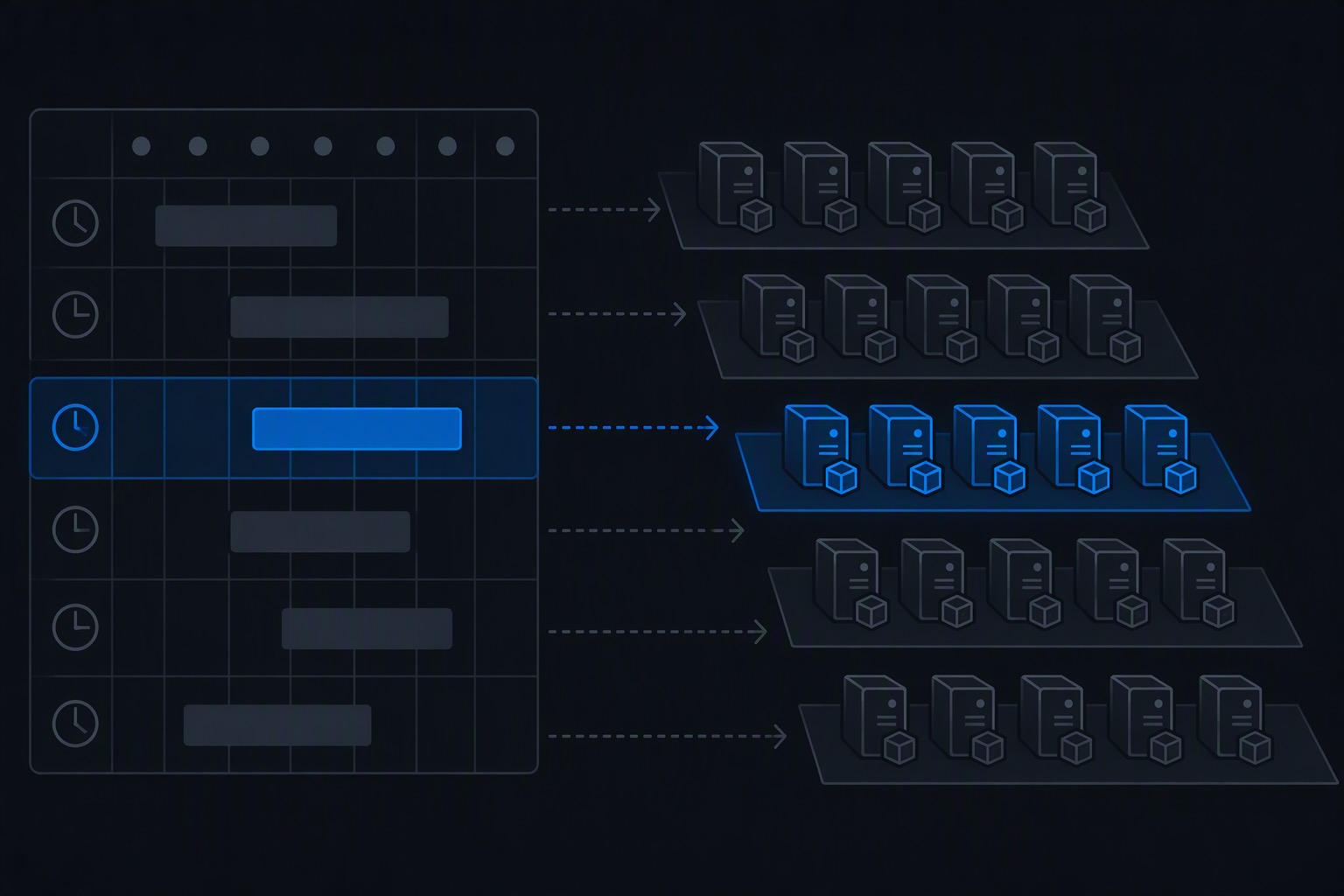
Every control a platform team builds eventually produces a question it can’t answer from the portal. Policy says it will block non-gallery images, but which VMs are already running on one? Update Manager is configured, but which machines have never reported an assessment? The golden image pipeline publishes a new version monthly, but how many VMs are still on the one from March?
Azure Resource Graph is the read side of all of those controls. It’s a cross-subscription, cross-management-group query layer over your Azure Resource Manager data, it answers in seconds, and it already knows about image references, patch assessments, policy states, and exemptions. Most teams use it for the occasional ad hoc lookup. The better pattern is a small, versioned library of saved queries that the platform team runs on a schedule and treats as part of the product.
This post is that library: the queries worth keeping, grouped by the question they answer, plus how to make them durable instead of living in someone’s browser history.
A few things to know before you write queries
Tables matter. The general resources table covers most resource types, but patch data lives in patchassessmentresources, policy data in policyresources, and so on. Knowing which table holds what is half of writing a useful query.
Scope is your access. Resource Graph returns what the caller can read. A query against a management group only reports on subscriptions your identity has read access to, so for fleet-wide reporting use a pipeline identity with Reader at the management group, and don’t assume a missing result means a missing resource. This one catches people with cross-subscription galleries: if your gallery lives in a subscription the caller can’t read, image version queries will quietly return nothing for it.
Results are paged. A single call returns at most 1,000 rows, so reporting queries should use skip tokens or aggregate with summarize instead of listing everything.
Data lags slightly. Resource Graph reflects changes quickly but not instantly. It’s for fleet reporting, not for confirming that the deployment you ran ten seconds ago landed.
IDs need normalizing. Resource IDs come back with inconsistent casing across tables, so wherever you join, apply tolower() to both sides.
Golden images: what’s actually running
These pair with the image pipeline and the enforcement policy from the earlier posts.
1. Where do our VMs get their images from?
The baseline question for any golden image program. This is also the query that finds machines the gallery policy can’t evaluate, because they have no image reference at all.
resources
| where type =~ 'microsoft.compute/virtualmachines'
| extend imageId = tostring(properties.storageProfile.imageReference.id),
         publisher = tostring(properties.storageProfile.imageReference.publisher)
| extend imageSource = case(
    imageId contains '/galleries/', 'Compute Gallery',
    isnotempty(publisher), 'Marketplace',
    isnotempty(imageId), 'Managed image',
    'No image reference (attached disk or other)')
| summarize vms = count() by imageSource, subscriptionId
| order by vms desc2. Which image versions are in use?
Once most of the fleet is on gallery images, the next question is how fragmented it is.
resources
| where type =~ 'microsoft.compute/virtualmachines'
| extend imageId = tostring(properties.storageProfile.imageReference.id)
| where imageId contains '/galleries/'
| extend imageDefinition = tostring(split(imageId, '/versions/')[0]),
         imageVersion = iff(imageId contains '/versions/',
                            tostring(split(imageId, '/versions/')[1]),
                            tostring(properties.storageProfile.imageReference.exactVersion))
| summarize vms = count() by imageDefinition, imageVersion
| order by imageDefinition asc, imageVersion descA VM deployed against an image definition without a version records the resolved version in exactVersion, which is why the query handles both forms. Check the property against a real VM in your tenant the first time you run it.
3. Which VMs are still on end-of-life image versions?
Gallery image versions can carry an end-of-life date. This joins versions past that date to the VMs still using them, which is your list for the next migration push.
resources
| where type =~ 'microsoft.compute/galleries/images/versions'
| extend eol = todatetime(properties.publishingProfile.endOfLifeDate)
| where isnotnull(eol) and eol < now()
| project versionId = tolower(id), eol
| join kind=inner (
    resources
    | where type =~ 'microsoft.compute/virtualmachines'
    | extend versionId = tolower(tostring(properties.storageProfile.imageReference.id))
  ) on versionId
| project vmName = name, resourceGroup, subscriptionId, eol
| order by eol ascChange the filter to eol < now() + 30d and you have an early-warning version of the same report.
Scale sets: configuration drift in the fleet
4. Scale sets that aren’t following current guidance
Flexible orchestration is the recommended mode for new scale sets, and automatic instance repairs are a reliability baseline. This flags scale sets missing either.
resources
| where type =~ 'microsoft.compute/virtualmachinescalesets'
| extend orchestration = tostring(properties.orchestrationMode),
         repairsEnabled = coalesce(tobool(properties.automaticRepairsPolicy.enabled), false),
         imageId = tostring(properties.virtualMachineProfile.storageProfile.imageReference.id)
| where orchestration != 'Flexible' or repairsEnabled == false
| project name, resourceGroup, subscriptionId, orchestration, repairsEnabled, imageIdPatching: is the process actually running?
These complement a staged Update Manager design by checking that it’s really covering the estate.
5. VMs not handed over to platform patch orchestration
If the patch mode isn’t AutomaticByPlatform, maintenance configurations can’t schedule the machine, whatever your documentation says.
resources
| where type =~ 'microsoft.compute/virtualmachines'
| extend patchMode = coalesce(
        tostring(properties.osProfile.windowsConfiguration.patchSettings.patchMode),
        tostring(properties.osProfile.linuxConfiguration.patchSettings.patchMode)),
       assessmentMode = coalesce(
        tostring(properties.osProfile.windowsConfiguration.patchSettings.assessmentMode),
        tostring(properties.osProfile.linuxConfiguration.patchSettings.assessmentMode))
| where patchMode != 'AutomaticByPlatform' or assessmentMode != 'AutomaticByPlatform'
| project name, resourceGroup, subscriptionId, patchMode, assessmentMode6. VMs with no recent patch assessment
A machine that has never reported, or hasn’t in a week, is invisible to every compliance report built on assessment data.
resources
| where type =~ 'microsoft.compute/virtualmachines'
| project vmId = tolower(id), name, resourceGroup, subscriptionId
| join kind=leftouter (
    patchassessmentresources
    | where type =~ 'microsoft.compute/virtualmachines/patchassessmentresults'
    | extend vmId = tostring(split(tolower(id), '/patchassessmentresults/')[0])
    | project vmId, lastAssessed = todatetime(properties.lastModifiedDateTime)
  ) on vmId
| where isnull(lastAssessed) or lastAssessed < ago(7d)
| project name, resourceGroup, subscriptionId, lastAssessed7. Where the pending critical and security updates are
The prioritization list: machines with the most outstanding important updates, and whether a reboot is waiting.
patchassessmentresources
| where type !has 'softwarepatches'
| extend p = parse_json(properties)
| extend vmId = tostring(split(tolower(id), '/patchassessmentresults/')[0]),
         critical = coalesce(toint(p.availablePatchCountByClassification.critical), 0),
         security = coalesce(toint(p.availablePatchCountByClassification.security), 0),
         rebootPending = tobool(p.rebootPending),
         lastAssessed = todatetime(p.lastModifiedDateTime)
| where critical + security > 0
| project vmId, critical, security, rebootPending, lastAssessed
| order by critical + security desc8. VMs outside any patch wave
If your maintenance configurations use dynamic scoping keyed on a PatchGroup tag, then a VM without the tag is in no wave and will never be patched on schedule.
resources
| where type =~ 'microsoft.compute/virtualmachines'
| where isempty(tostring(tags['PatchGroup']))
| project name, resourceGroup, subscriptionId, locationThis is a good example of why tag-based dynamic scoping pairs with reporting: the failure mode is silent, and one query makes it loud.
Agents and hygiene
9. VMs missing the monitoring agent
Agents baked into the golden image should be present on every machine. This finds the ones where they aren’t, which usually means a VM that bypassed the image.
resources
| where type =~ 'microsoft.compute/virtualmachines'
| project vmId = tolower(id), name, resourceGroup, subscriptionId
| join kind=leftouter (
    resources
    | where type =~ 'microsoft.compute/virtualmachines/extensions'
    | where tostring(properties.type) in~ ('AzureMonitorWindowsAgent', 'AzureMonitorLinuxAgent')
    | project vmId = tostring(split(tolower(id), '/extensions/')[0])
  ) on vmId
| where isempty(vmId1)
| project name, resourceGroup, subscriptionIdAdapt the extension types for whichever security or monitoring agents your baseline includes.
10. VMs that are stopped but still costing money
A VM stopped from inside the guest, or via a call that doesn’t deallocate, keeps its compute allocation and keeps billing. Only the deallocated state releases it.
resources
| where type =~ 'microsoft.compute/virtualmachines'
| extend powerState = tostring(properties.extended.instanceView.powerState.code)
| where powerState == 'PowerState/stopped'
| project name, resourceGroup, subscriptionId, location11. Orphaned disks and public IPs
The classic cost and attack-surface cleanup list.
resources
| where type =~ 'microsoft.compute/disks'
| where isempty(managedBy) and tostring(properties.diskState) =~ 'Unattached'
| where name !endswith '-ASRReplica'
| project name, resourceGroup, subscriptionId,
          sizeGb = toint(properties.diskSizeGB),
          sku = tostring(sku.name),
          created = todatetime(properties.timeCreated)
| order by created asc
resources
| where type =~ 'microsoft.network/publicipaddresses'
| where isempty(properties.ipConfiguration) and isempty(properties.natGateway)
| project name, resourceGroup, subscriptionId, location,
sku = tostring(sku.name)The exclusion on -ASRReplica keeps Azure Site Recovery’s replica disks, which are deliberately unattached, out of the cleanup list.
Governance: policy and exemptions
12. What’s non-compliant with a specific assignment
Pairs with an audit-first policy rollout. Swap the assignment name for whichever one you’re tracking.
policyresources
| where type =~ 'microsoft.policyinsights/policystates'
| where tostring(properties.complianceState) =~ 'NonCompliant'
| where tostring(properties.policyAssignmentName) =~ 'enforce-gallery-images'
| project resourceId = tostring(properties.resourceId),
          resourceGroup = tostring(properties.resourceGroup),
subscriptionId13. Waivers with no end date, or about to expire
Exemptions are where policy programs quietly decay. This surfaces waivers that never expire and waivers expiring within a month, so they get reviewed instead of forgotten. Expired exemptions stop applying but aren’t deleted, so it’s worth reviewing those too.
policyresources
| where type =~ 'microsoft.authorization/policyexemptions'
| extend category = tostring(properties.exemptionCategory),
         expiresOn = todatetime(properties.expiresOn)
| where category =~ 'Waiver'
| where isnull(expiresOn) or expiresOn < now() + 30d
| project name, category, expiresOn,
          assignment = tostring(properties.policyAssignmentId)
| order by expiresOn ascMaking the library durable
A pile of queries in a wiki gets stale. Three habits turn them into something the platform team actually operates:
Save them as shared queries, in code. A shared query is an Azure resource, governed by RBAC like any other, so the library can live in your platform repo and deploy with the rest of the landing zone:
resource vmImageSources 'Microsoft.ResourceGraph/queries@2018-09-01-preview' = {
  name: 'vm-image-sources'
  location: 'global'
  properties: {
    description: 'Breakdown of VM image sources: gallery, marketplace, managed image, or none.'
    query: loadTextContent('queries/vm-image-sources.kql')
  }
}Keeping each query as a .kql file also means changes go through pull requests, and a wrong query gets caught in review rather than in a compliance meeting.
Run them on a schedule. A weekly pipeline that executes the library and publishes the results turns “we could check that” into “here’s last Monday’s report”:
name: Fleet compliance report

on:
  schedule:
    - cron: '0 6 * * 1'
  workflow_dispatch:

permissions:
  id-token: write
  contents: read

jobs:
  report:
    runs-on: ubuntu-latest
    steps:
      - uses: actions/checkout@v4

      - uses: azure/login@v2
        with:
          client-id: ${{ secrets.AZURE_CLIENT_ID }}
          tenant-id: ${{ secrets.AZURE_TENANT_ID }}
          subscription-id: ${{ secrets.AZURE_SUBSCRIPTION_ID }}

      - name: Run query library
        run: |
          az extension add --name resource-graph --yes
          mkdir -p out
          for f in queries/*.kql; do
            az graph query \
              --management-groups mg-platform \
              --first 1000 \
              -q "$(cat "$f")" \
              --query data -o json > "out/$(basename "$f" .kql).json"
          done

      - name: Fail on must-be-zero findings
        run: |
          for name in vm-no-image-reference waivers-no-expiry; do
            count=$(jq length "out/$name.json")
            if [ "$count" -gt 0 ]; then
              echo "::error::$name returned $count rows"
              exit 1
            fi
          done

      - uses: actions/upload-artifact@v4
        with:
          name: fleet-report
path: out/Decide which queries are reports and which are gates. Most of the library is informational. A few queries should return nothing, and a non-empty result should fail the run: waivers without expiry dates, VMs with no image reference, scale sets outside the standard. Splitting the library that way is what moves it from reporting into governance.
The platform engineering takeaway
Policy, patching, and image pipelines all create controls. Resource Graph is how you find out whether those controls are true. A small library of saved, versioned, scheduled queries gives a platform team the thing it most often lacks: evidence. Not “we configured Update Manager” but “here are the eleven machines it isn’t covering,” not “the gallery is the standard” but “here are the machines that bypassed it.” The queries above are a starting set. The habit worth building is writing the query whenever a new control ships, so the answer to “is this actually working?” already exists.
Discover more from ksharp
Subscribe to get the latest posts sent to your email.