
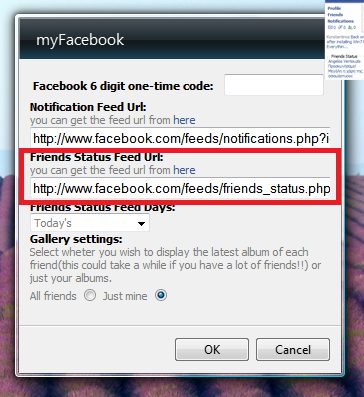
 It seems that Facebook has changed the friends status page and has removed the RSS feed link that existed there. So it’s a bit difficult to find the right url, the gadget needs, in order to display your friends’ status on it. So even if you click on the link “here” on the gadget you’ll end up on a page that doesn’t have and RSS links. Even though the link isn’t there any more, that doesn’t mean that the feed is not there either.
All you have to do is:
1. Log on to Facebook and go to your Notifications page: http://www.facebook.com/notifications.php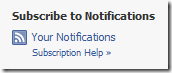
2. On the right-hand side you’ll see ‘Subscribe to Notifications. Click the ‘Your Notifications’ link.
The link will open up the feed in your browser and the url on your browser address bar will look something like this:
http://www.facebook.com/feeds/notifications.php?id=111111111&viewer=111111111&key=111111111&format=rss20
3. Copy the id and the key parts and replace the XXXXs of the following url.
http://www.facebook.com/feeds/friends_status.php?id=XXXXXXX&key=XXXXXXXX&format=rss20
4. Test it on your browser to see if your friend statuses are returned and then copy it to the gadget settings page (seen above).
Hope this works for you.
Discover more from ksharp
Subscribe to get the latest posts sent to your email.


Web site will not give access to Friend status feed!
No, still doesn”t work. Gives an “HTTP 403 Forbidden” message.
1st Clipboard can copy and store up to 25 items at a time. This gives you the ability to bulk-paste items, both to documents and spread sheets.